 PlugView
Camera monitor for iPhone
One cable.
Your iPhone is the monitor.
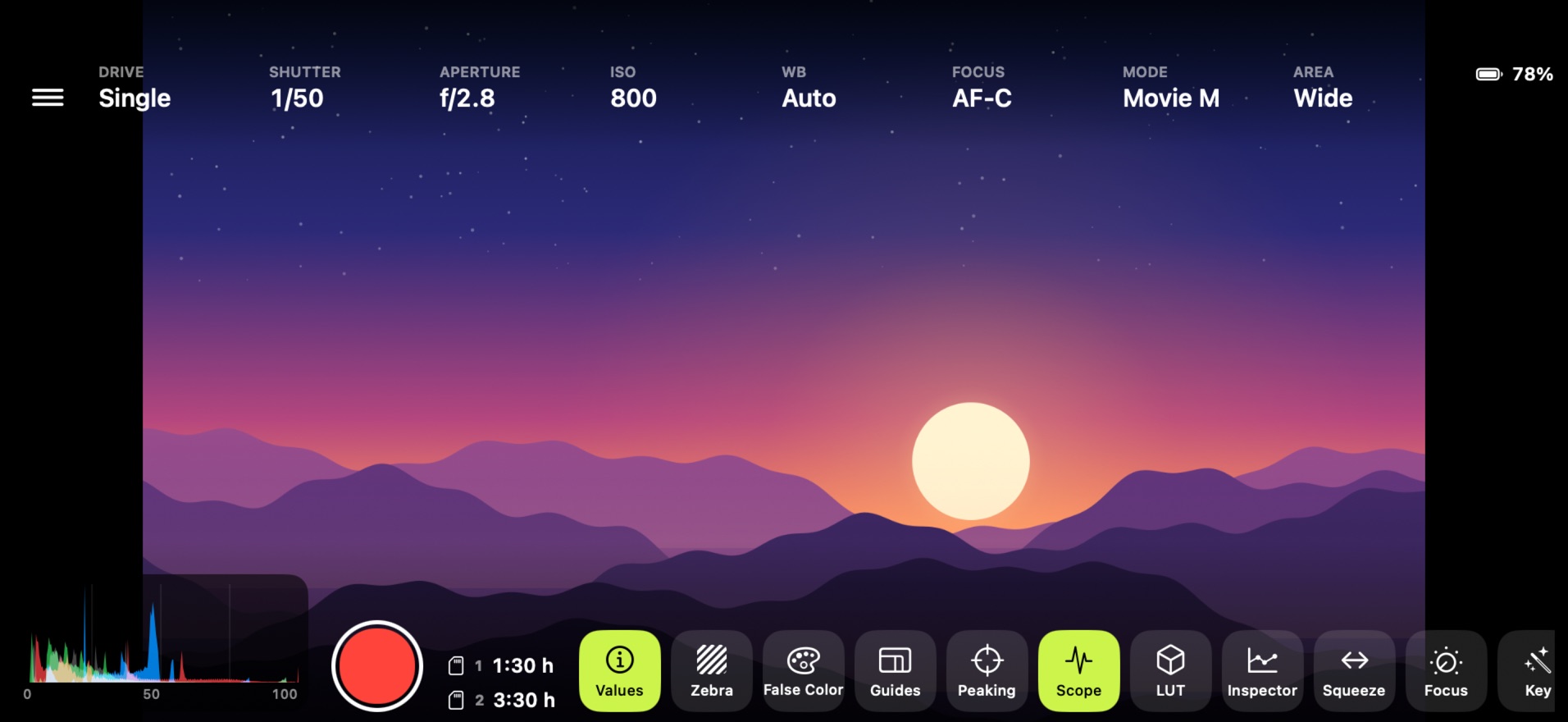
Plug your camera into your iPhone with a USB-C cable and get a real field monitor: big live view, LUTs, scopes, zebra, focus peaking and control of your camera's settings.
Coming soon to the App Store
How it works
No HDMI adapter. No extra battery. No account.
Set up in a minute.
PlugView talks to your camera over the same cable you charge with. Set the camera up once, then just plug in.
- 1On the camera, turn on PC Remote and set the connection method to USB.
- 2Connect camera and iPhone with a USB-C cable that supports data.
- 3Open PlugView and tap Allow. The live view appears.
The tools you'd buy a monitor for.
Judge exposure, color and focus on set, without carrying a second screen.
Exposure and color
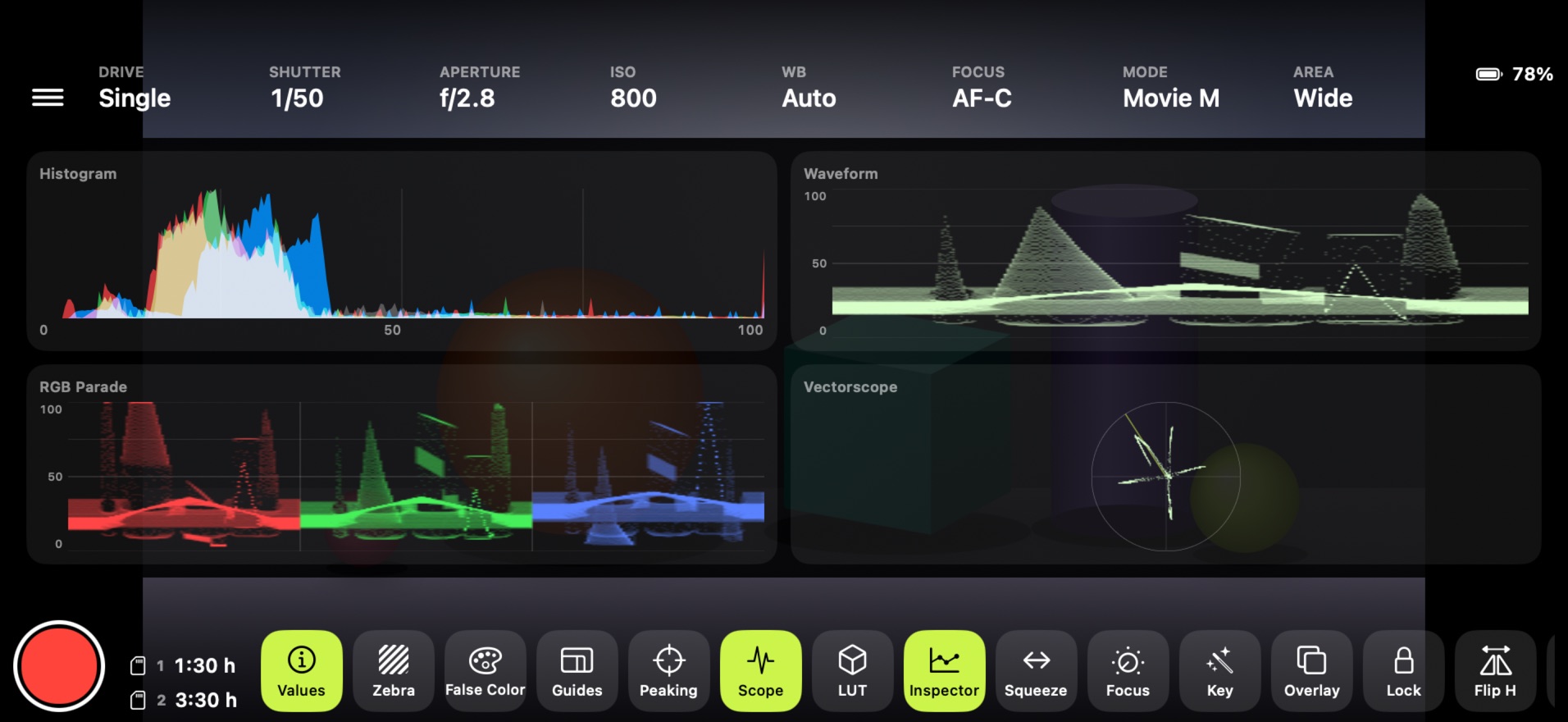
- Histogram, waveform, RGB parade, vectorscope
- Inspector: all four scopes at once
- Zebra and false color
Your look
- Built-in S-Log3 to Rec.709
- Import your own .cube LUTs
- Scopes before or after the LUT
Focus and framing
- Focus peaking in five colors
- Pinch to zoom up to 8×
- Frame guides, thirds, safe area, desqueeze
Camera control
- Shutter, aperture, ISO, white balance
- Focus mode and focus area
- Shutter, record, follow focus, power zoom
On set
- Chroma key check and reference overlay
- Flip and rotate for self-recording
- Screen lock and live view recording
Private by design
- No account, no ads, no tracking
- Everything stays on your iPhone
- Works without internet
See more than the back screen.


Made for the Sony Alpha 7 IV.
PlugView needs an iPhone with USB-C. Support for more Sony cameras, from full frame to APS-C, is on the way. Tell us which camera you use.